
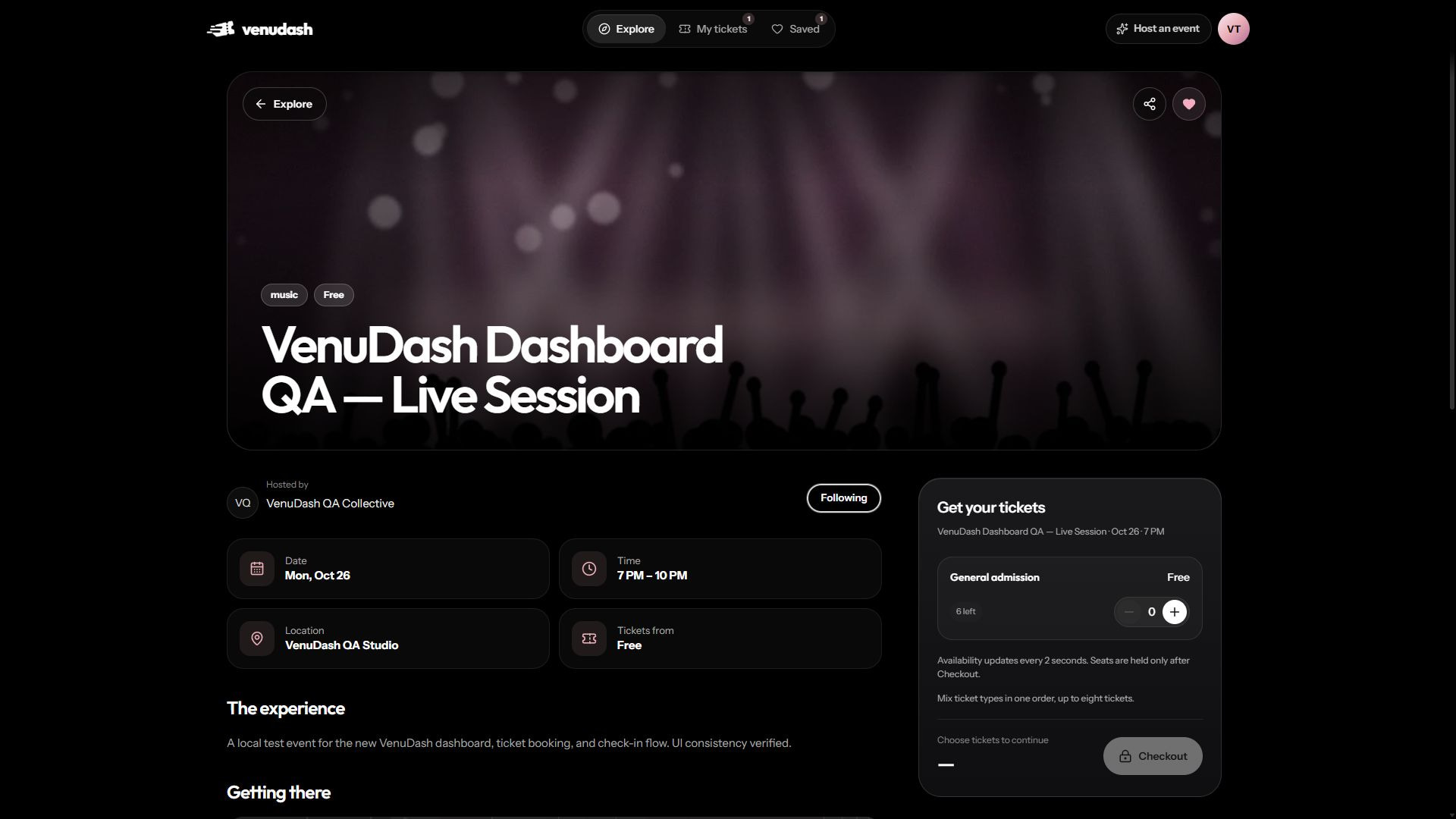
Place a booking
- Open the event and check its date, venue, organizer, and ticket types.
- Choose the ticket type and quantity. Review what each ticket includes and whether it is general admission or assigned seating.
- Choose Checkout. If you are signed out, verify your email and finish profile setup first. Your ticket selection returns with you; check it and choose Checkout again. Availability can change while you sign in.
- Check your name and email, choose Continue, then review the event, quantities, currency, total and payment instructions. Use Change tickets to return to your selection. Confirm only when the summary is correct.
- Wait for the order page. Keep its booking reference so you can identify the order later.
Your reservation
Your selection is stored in this browser tab while you sign in or create an account. Tickets are only held after Checkout successfully creates the reservation. Complete checkout within the eight-minute timer. If it expires, choose from the current availability again.
Free and paid registrations
A successful free registration can issue tickets immediately. A paid registration may remain awaiting payment or confirmation until the organizer checks the payment. An order reference alone is not an entry ticket.
If checkout reports that availability changed, review the updated quantities or seats before trying again. Do not create repeated orders simply because an email has not arrived; first check My tickets and the order page.
Unavailable tickets
A ticket can be unavailable because it sold out, sales were paused, or the event was cancelled. The organizer controls which ticket types are offered. A displayed quantity can change while other guests are booking.