
 General admission
Thalia Theatre
Kaseko Nights
DATESAT 24 OCT
STARTS8 PM
ADMISSIONStanding
Your way in.Keep your ticket close.ILLUSTRATION · NOT VALID FOR ENTRY
Everything you need to create, promote, sell tickets, and manage unforgettable events. All in one place.
Prepare your event now. Verify your organizer profile before publishing.Sample workspace · Riverlight Collective
One event page to share. Set your ticket types, prices and capacity, then let guests book from any device.
General admission Front row
 General admission
See what’s selling, who’s coming and what needs your attention, without jumping between spreadsheets.
Explore your workspaceInvite your team and assign roles, from event management to scanning at the gate.
Explore your workspaceA team with the right access
Follow check-ins, scan failures and gate activity. See who scanned each ticket and when.
Explore your workspaceReview sales, payment confirmations, fees and payout status from your workspace.
Explore your workspaceReview eligible funds and track manual bank transfers.
Draw your venue with tools for seating rows, tables, stages, zones and entrances. Save a map now and attach it to an event later.
Create an event map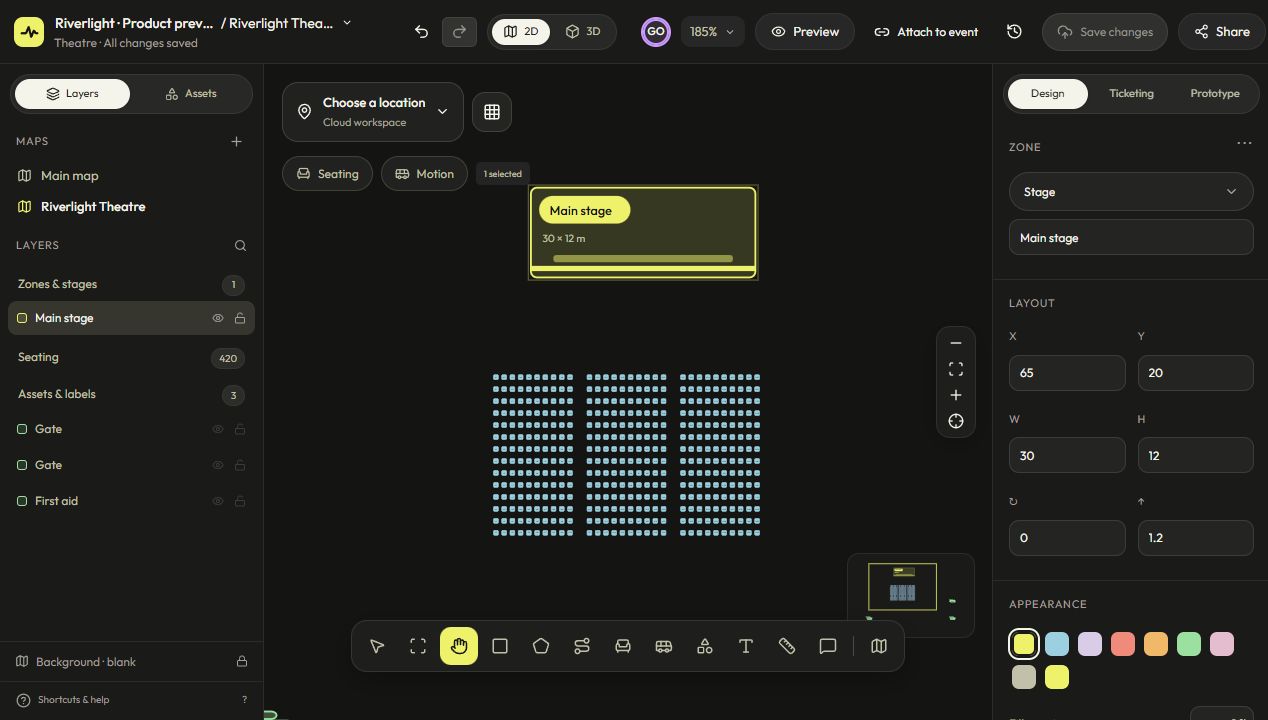
Your seating plan becomes part of the booking experience. Guests explore the layout, choose an available seat and continue to checkout.
Explore the seating layout, select an available seat, then review the booking at checkout.
Work on the same map in real time. Follow your teammates’ cursors, see changes as they happen and keep every version with cloud autosave.
Illustrative tool demo. Create and edit your own map in Event Mapper.
Give your gate team access and scan tickets from a phone. Follow arrivals live and catch duplicate scans before they become a problem.
From your first event to welcoming guests.
Tell guests who you are. Submit your details for review; organizer approval is required to publish.
Add dates, your venue, event artwork and ticket options. Attach a map if you need seats or a venue layout.
Once verified, put your event on sale and share its public page. Follow bookings and confirm payments.
Give your gate team access, scan tickets and monitor arrivals. Review your earnings and payout eligibility after the event.
No fees for free events. For paid tickets, the platform fee is calculated per ticket, based on that ticket’s price.
Start selling ticketsA SRD 200 ticket has a SRD 10 platform fee.
Free tickets: no fees.
* Excludes payment processing fees. Any applicable payment processing fees are separate.Already hosting on VenuDash? Open your workspace
From your first booking to the doors opening. Find clear instructions or get in touch with our team.